
Software Engineer Resume Template for Google Docs
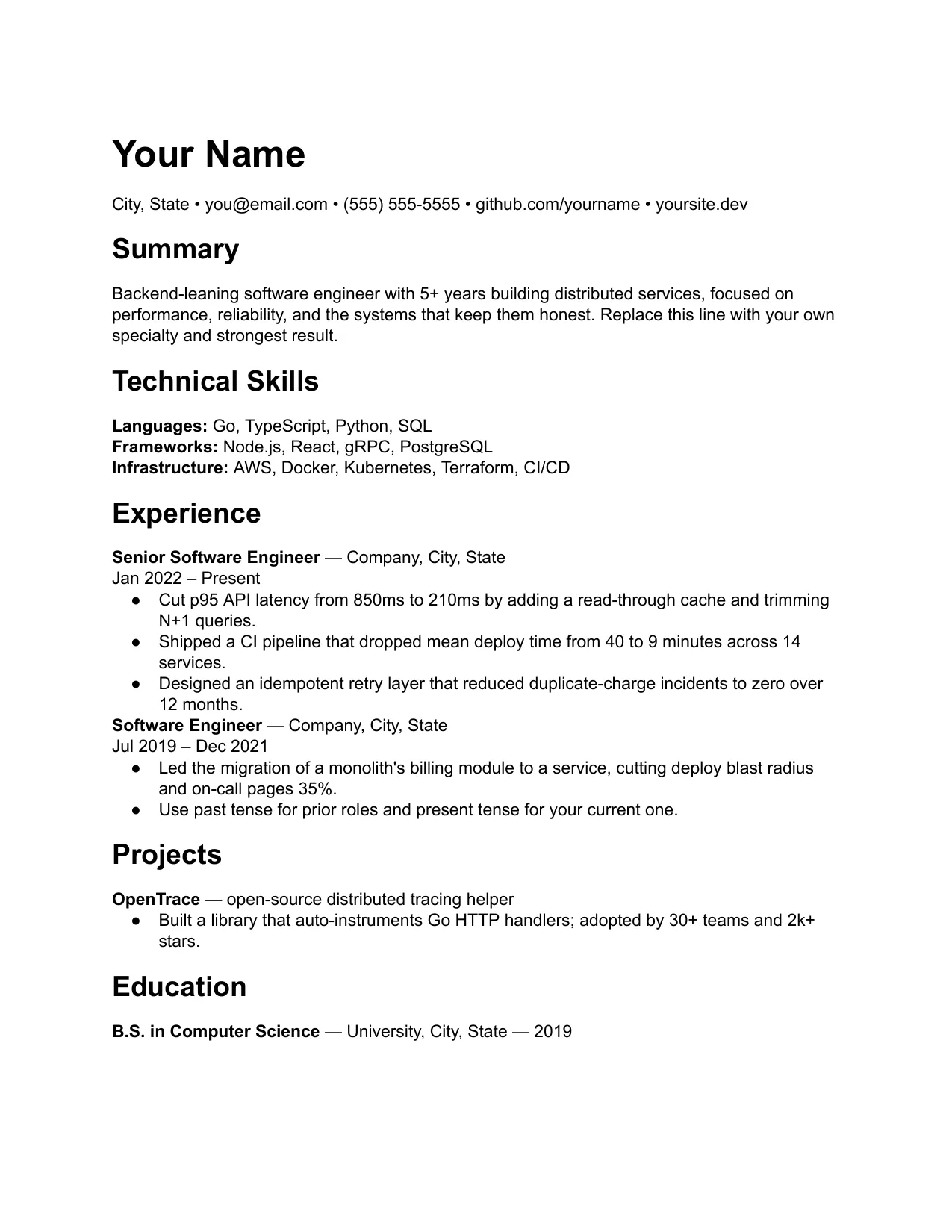
The Software Engineer template puts a plain-text technical skills section near the top, then frames your experience around impact and scale rather than task lists. It stays single-column and parser-safe — no sidebars, no skill-rating graphics, no icon links — because most engineering pipelines run through an applicant tracking system before a human sees the page. The balanced profile allows tasteful bold and a thin rule between sections so the page still reads like an engineer wrote it, while a dedicated Projects block lets you show range that your job titles alone do not. Lead every experience bullet with a number — latency, throughput, reliability, cost, or users — and keep the stack you list honest to what you have actually shipped. Export to PDF before you upload so spacing holds across whatever viewer the recruiter opens.
Frequently asked questions
Should I list every programming language I know?
No. Lead with the stack the role asks for and group the rest by category. A wall of keywords reads as padding to both recruiters and parsers.
How many projects should I include?
One or two that show range or depth. Each should name the problem, your stack, and a measurable result like latency, scale, or reliability.
Do I put my GitHub or portfolio link?
Yes, as plain text near your contact line. Avoid icon-only links, which some applicant tracking systems drop on parse.